
PyXLL The Python Excel Add-In
  • Product
    • Features
    • Get Started
    • Request Demo
    • Download
  • Pricing
  • Resources
    • Documentation
    • Blog
    • Videos
    • FAQ
    • Learn Python
    • Customer Portal
    • About Us
  • Support
    • Documentation
    • Videos
    • FAQ
    • Contact Us
  • Contact Us
Table of Contents
  • PyXLL Documentation
  • Introduction to PyXLL
  • User Guide
  • Video Guides and Tutorials
    • Installing the PyXLL Add-in
    • Writing Excel Functions in Python
    • Jupyter Notebooks in Excel
      • Jupyter Notebook
      • JupyterLab
    • Debugging Python in Excel
    • Working with Tables
    • Long Running Functions
    • Monte Carlo Simulations
    • Cell Formatting
    • RTD Array Functions
    • DOOM in Excel
    • NLP VLOOKUP using Scikit Learn
    • Deploying your PyXLL Add-in
  • API Reference
  • What’s new in PyXLL 5
  • Changelog
Close

Jupyter Notebooks in Excel

  • Jupyter Notebook

  • JupyterLab

Jupyter Notebook

This video shows how the pyxll-jupyter package works and how to install it so you can use Jupyter notebooks with Excel and PyXLL.

Jupyter Notebooks in Excel

This video covers the following topics:

  1. Opening a Jupyter notebook in Excel

  2. Fetching Excel data into the notebook as a pandas DataFrame

  3. Pasting Python data into Excel from a notebook

  4. Plotting in the notebook and in Excel

  5. Writing Excel user defined functions in a Python notebook

  6. Installing PyXLL and the pyxll-jupyter package

Documentation for the pyxll-jupyter package and the magic commands used in the video can be found at https://pypi.org/project/pyxll-jupyter.

The source code for the pyxll-jupyter package is available on GitHub here https://github.com/pyxll/pyxll-jupyter.

JupyterLab

JupyterLab is the latest Jupyter environment and a popular alternative to the more basic Jupyter Notebook.

The pyxll-jupyter package also enables JupyterLab to be embedded in Excel in the same way as the Jupyter notebooks above.
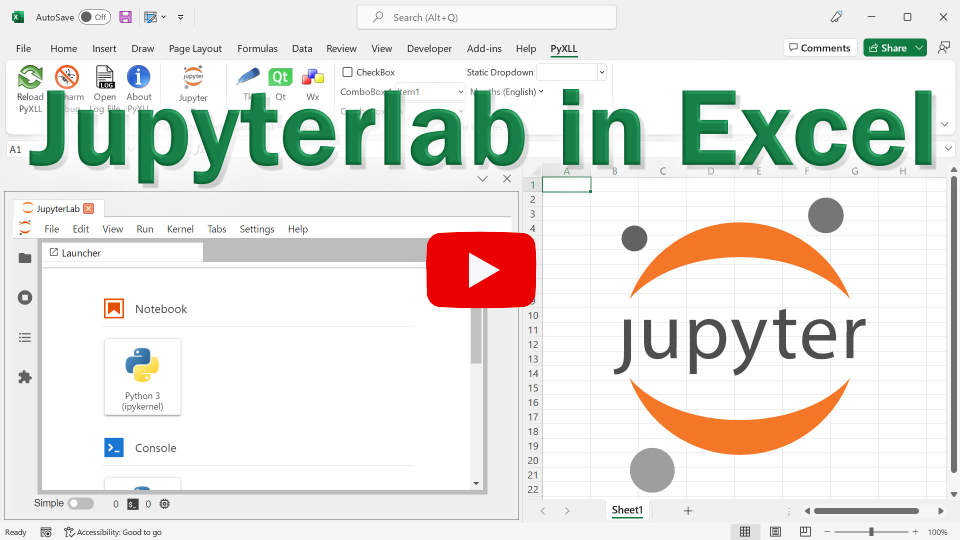
JupyterLab in Excel

This video covers the following topics:

  1. Using JupyterLab in Excel

  2. Installing and/or updating the pyxll-jupyter package.

  3. Installing and running JupyterLab.

  4. Configuring pyxll-jupyter to use JupyterLab.

Version 4.0 of JupyterLab or later is required to use JupyterLab with pyxll-jupyter.

« Writing Excel Functions in Python
Debugging Python in Excel »
  • Home
  • Product
  • Features
  • Documentation
  • Download
  • Pricing
  • Support
  • Documentation
  • Videos
  • FAQ
  • Learn Python
  • Contact Us
  • About
  • About Us
  • Legal
  • Blog
© Copyright PyXLL Ltd